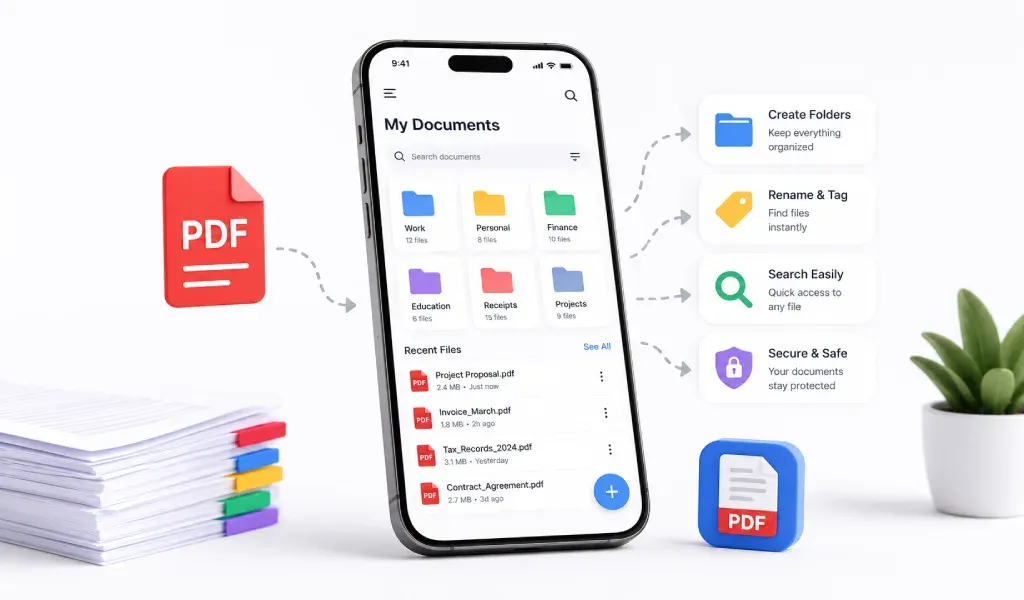
Managing documents can feel messy. Files get lost. Photos stay scattered. Important papers are hard to find when you need them most.
This is where PDF files help.
PDF is one of the easiest ways to keep your documents clean, organized, and easy to access. And with a good PDF scanner and converter app, you can manage everything directly from your phone.
Why Use PDF Files for Organization
PDF is a universal format. It works on almost every device. You can open it anytime without worrying about compatibility.
More importantly, PDF keeps your document layout intact. Whether it's a scanned receipt, a contract, or notes, everything stays in place.
This makes PDF perfect for storing and organizing documents digitally.
Start by Scanning Your Documents
The first step is to turn your physical papers into digital files.
Use a document scanner app to scan your papers. It can be anything, receipts, notes, IDs, or office documents. A good scanner will automatically detect edges and improve clarity.
Instead of keeping piles of paper, you now have clean digital copies saved as PDFs.
Convert Images into PDF Files
Many people keep important documents as photos. But images are hard to manage.
Convert your images into PDF using an image to PDF converter. This helps you keep multiple files in one place.
For example, you can merge multiple photos into a single PDF instead of keeping them separately.
If you use an iPhone, you can also convert HEIC images using a HEIC to PDF converter.
Create Folders and Keep Things Simple
Once your documents are in PDF format, organize them into folders. Keep it simple. Don’t overcomplicate.
You can create folders like:
- Personal Documents
- Work Files
- Receipts
- Study Notes
This way, you always know where to look.
Use Clear File Names
Naming matters more than people think.
Instead of random names like “IMG1234,” use clear names like:
- Rent_Receipt_Jan_2026
- ID_Card_Copy
- Meeting_Notes_March
This small habit saves a lot of time later.
Merge Related Documents
If you have multiple pages of the same document, merge them into one PDF.
Most PDF converter apps allow you to combine files easily. This keeps everything in one place and reduces clutter.
For example, you can merge:
- Assignment pages
- Business reports
- Scanned contracts
- Keep Your Files Secure
Some documents are important. You don’t want to lose them.
A reliable PDF scanner and converter app keeps your files safe and easy to access. Many apps also avoid storing your data, which adds an extra layer of privacy.
Access Your Documents Anytime
One of the biggest advantages of PDF files is accessibility.
Once your documents are scanned and converted, you can open them anytime on your phone. No need to carry physical papers anymore.
You can also quickly share PDFs via email or messaging apps.
Make It a Habit
Organization is not a one-time task. It’s a habit.
Whenever you get a new document:
Scan it
Convert it to PDF
Save it in the right folder
This simple routine keeps your digital space clean.
Final Thoughts
Organizing documents doesn’t have to be complicated.
With the help of PDF files and a simple PDF scanner app, you can turn your phone into a powerful document manager.
No more lost papers. No more messy galleries. Just clean, organized, and easy-to-find files.
Start small. Scan one document today.
You’ll see the difference.